Log to your Obsidian daily note
A running log of the day, by voice: “Log, called the venue about the projector.” becomes a timestamped line in today’s daily note, under your Log heading.
Set up the profile#
- In Macrophone for Mac, open Profiles and add a profile called Log.
- Under Voice prefix, type
logand press Return. - Under Where it goes, choose Nowhere — only do what’s under “Also”, so nothing is pasted or copied.
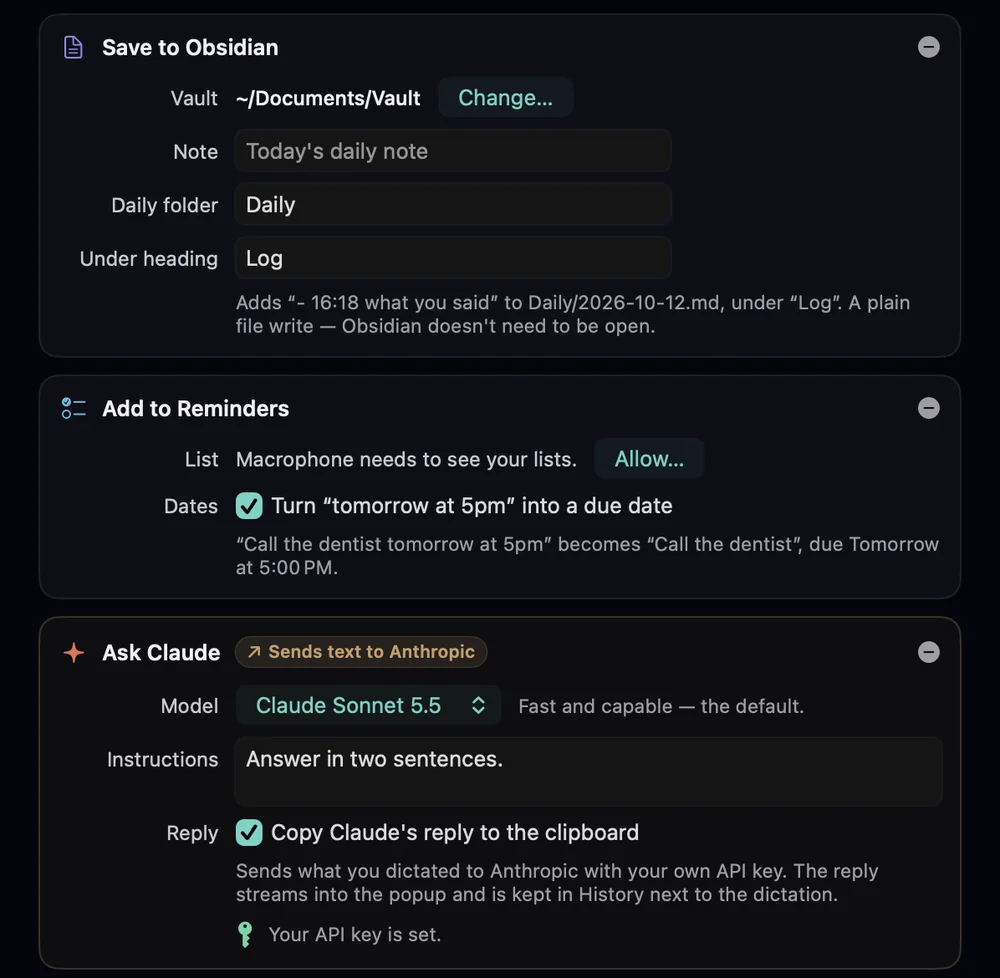
- Under Also, choose Add Action › Save to Obsidian:
- Vault: Choose Vault… and pick your vault's folder.
- Note: leave empty for today's daily note.
- Daily folder: leave empty to use the folder from Obsidian's Daily notes settings, or type one, such as
Daily. - Under heading:
Log.
- Set Cleanup to Light if you want your words kept close to how you said them.
Talk#
Log, called the venue about the projector, they'll have one by Thursday.
Added to today's daily note, under Log.Works from anywhere in the room, with Obsidian closed: it's a plain file write. Nothing is pasted, so whatever you're doing on the Mac isn't interrupted.
What gets written#
## Log
- 09:12 Standup moved to Thursday at ten.
- 14:05 Called the venue about the projector, they'll have one by Thursday.- The note is named with your Daily notes date format (default
YYYY-MM-DD). If it doesn't exist yet, it's created. - New lines go at the end of the Log section. If there's no Log heading, it's added at the end of the note.
- A dictation with several lines keeps them, indented under its bullet.
- Paths can't escape the vault.
Variations#
- Log and send. Add the Save to Obsidian action to your Claude target too, and every prompt you send Claude is also logged.
- One running note instead of the daily one: set Note to a path such as
Inbox.md. - Apple Notes or Reminders: the same idea with Save to Apple Notes or Add to Reminders, which turns “tomorrow at 5pm” into a due date. See Obsidian, Notes, Reminders.
- From a snippet. A snippet can add context, such as
{{app}}, to what you log.