tmux panes
If you run Claude Code (or anything else) inside tmux, Macrophone can type straight into the pane. It works whatever app is in front, even with the terminal hidden.
Set it up#
- In a profile, under Where it goes, choose Type into a tmux pane.
- Pick a pane from the list (it shows
session:window.pane, the program running and the folder, fromtmux list-panes -a), or type a target such aswork:1.0. Refresh re-reads the list. - Turn on Press Return after typing if you want it sent.
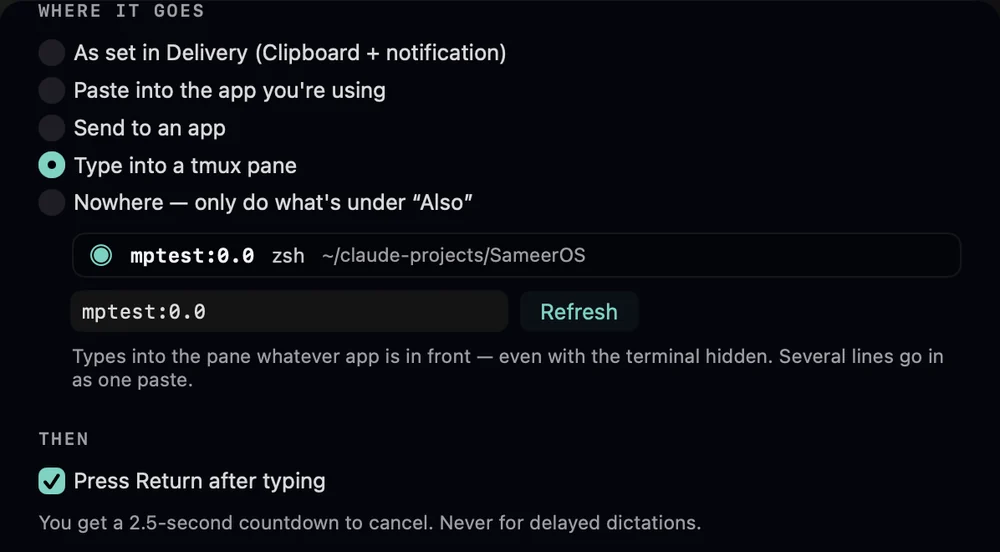
Macrophone finds tmux in /opt/homebrew/bin, then /usr/local/bin, then your login shell's PATH. If it isn't installed, the editor says so: “tmux isn't installed. Install it with Homebrew: brew install tmux”.
Pair it with {{tmux_cwd}} in a template to tell the program which folder you're in.
How the text goes in#
- One line goes in as literal keys:
tmux send-keys -t <target> -l <text>. - Several lines go in as one bracketed paste (
load-bufferthenpaste-buffer -p), so a line break never runs a half-typed command. - Press Return after typing sends
Enterafterwards. - The same 2.5-second countdown applies, and delayed dictations are never typed.
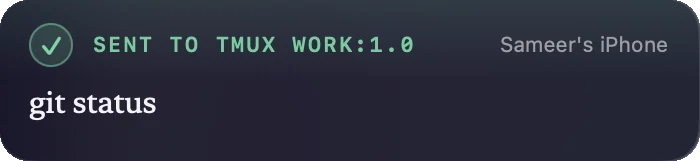
When it can’t#
If the pane is gone, the panel says “There's no tmux pane work:1.0 right now”, the text is on your clipboard, and Try Again retries.